How to choose a flatbed UV printer?
In a video dated 11 April 2025, PrintChina shows a flatbed ultraviolet (UV) printer with four printheads. The review covers the machine's features, from the control panel to the attachment for bottles. Click a time to play the video from that point. The video is in Russian.
Questions and answers by the minute
0:13 What can you do from the UV printer's control panel?
The panel lets you start cleaning, print a test, pause a job and select print quality. You can also control movement and raise and lower the table.
0:41 How are the UV printer's table and maintenance access arranged?
The video shows a thick tabletop, and the presenter says there is no vibration during printing. A separate access hatch secured with screws lets you reach components without removing the whole cover.
1:20 Where are the lamps on a flatbed UV printer?
Large lamps sit on the left and right, with a separate lamp for varnish. The video draws attention to the distance between the lamps and the printhead. A lens has been added underneath the lamps.
1:53 How does the UV printer warn you when ink is running low?
The ink tank has an alarm. When a colour runs low, the machine announces it in English. According to the presenter, it gives a spoken notification instead of a beep.
2:20 Can a flatbed UV printer print on bottles?
For cylindrical objects, the video shows a rotary axis, an attachment that rotates the item. It adjusts to different bottle lengths by repositioning the guide wheels. Printing uses the movement of the table.
2:45 Can you see the board's indicator lights without taking the printer apart?
On the machine shown, the control board's LEDs are visible without removing the cover. If an error light comes on, you can spot it straight away. According to the presenter, there is no need to unscrew any parts to check the lights.
3:05 How does the UV printer measure an object's height?
A laser height sensor sits at the back of the carriage, the moving unit that holds the printheads. The video explains that the table adjusts to the highest part of the object. That is the part you place within the sensor's range.
Where should you start when choosing a flatbed printer?
Start with the items you plan to print on. Prepare separate questions for the demonstration about objects on the table and bottles: how the height is set and how the attachment is adjusted to fit the item. This way, the review helps you request a demonstration suited to your work.
Compare specific configurations. The ST-6090 product page lists a 60 × 90 cm table and three printheads. It is a similar flatbed printer, but there is no basis for identifying it as the machine in the video. Matching table sizes alone do not mean the models are the same.
What should you ask to see before buying?
This is our checklist, based on the video.
- Everyday operation. Ask for a step-by-step demonstration of starting a test, pausing and controlling the table. Check whether you find the panel easy to use.
- Preparing your item. Check which part of the item should be positioned by the height sensor. For bottles, ask to see how the rotary axis is adjusted.
- Checking the machine's status. Find out where the error lights are visible and what the low-ink notification sounds like.
What should you clarify about maintenance and included equipment?
Discuss access to components through the hatch and handling the waste container with the engineer in advance. The video mentions a 1-litre waste container. Ask for an explanation of the maintenance procedure for your chosen machine before doing it yourself.
The presenter says the rotary axis is included with the printer shown. When choosing a similar model, check separately whether it is included: the information in this review applies to the machine filmed.
Equipment in the catalogue
Below are similar flatbed UV printers. Compare table size, printhead count and included equipment on each model's product page.
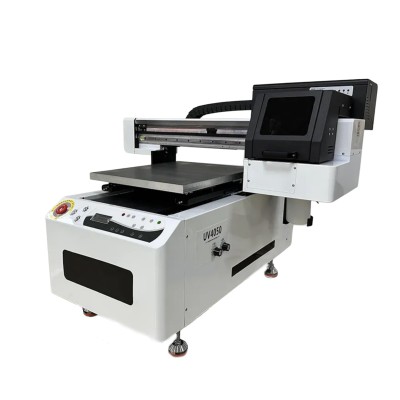 Flatbed UV printer ST-4050, table 40×50 cm, 2 heads
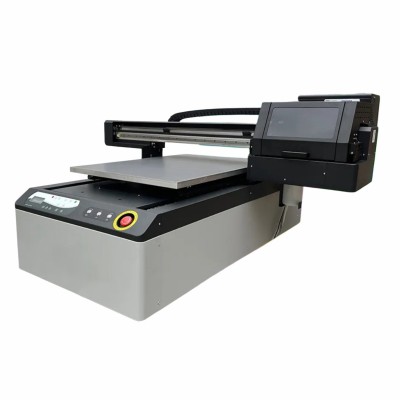 Flatbed UV printer ST-6090, table 60×90 cm, 3 heads
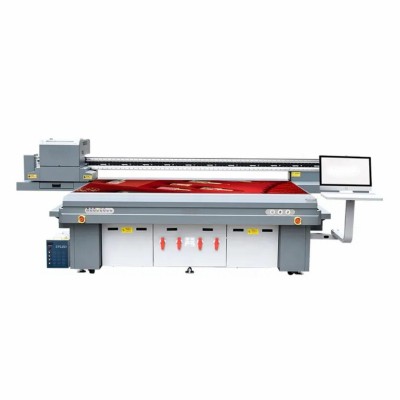 Flatbed UV printer ST-2513, table 250×130 cm, 5×Ricoh G6
