What to check at printer start-up: lessons from Nalchik?
The video of 28 March 2024 shows printing equipment being set up in Nalchik, from film feed problems to cutters in operation. Engineers adjust the machines and explain to staff how to use them. Click a time to play the video from that point. The video is in Russian.
Questions and answers by the minute
1:13 Can one printer print on objects and make stickers?
The video shows a UV/UV-DTF hybrid that combines printing on objects with making stickers on film. Roll holders are connected for stickers, while the extension tables are removed for regular UV printing.
2:10 What equipment do you need to print and cut stickers?
Here they use an eco-solvent printer, a machine that prints on roll materials, a laminator to cover the print with film, and a cutter that follows registration marks. The sequence in the video is to print the stickers, laminate them and cut them.
4:38 Why does the film move backwards with both feed commands?
On the printer shown, both commands sent the film backwards because an electrical circuit was connected incorrectly. The engineer fixed the fault. Do not copy the disassembly shown in the video; contact a service team.
5:35 What is checked when setting the printhead parking position?
The video shows a check of the cap position: the cap is a cover that presses against the printhead when it is parked. The parking station was out of position. After adjusting it, the engineer checks that the gap is even on all sides.
6:58 Why are the fans not working at printer start-up?
The fans on this machine had no power connected. In the video, the engineer sorts out the connection and then reports starting a test print. Do not attempt the wiring work yourself; contact a service team.
11:06 How do hybrid printers for 30 cm and 60 cm rolls differ?
In the video, the hybrid with a 60 by 90 table uses rolls up to 30 cm wide. The version with the table turned around is said to take 60 cm rolls. The presenter finds the smaller extension tables easier to fit and the larger ones more economical for higher volumes.
13:10 Why would a small print shop need a UV and UV-DTF hybrid?
According to the presenter, a hybrid saves space because one machine handles both flatbed printing and sticker production. Orders of both types help keep it busy. The presenter also compares maintaining three printheads on the hybrid with six on two separate machines.
14:34 What can you adjust on the sticker cutter?
The cutter shown uses an optical system to follow registration marks. You can change the speed while it is running and set the cutting order in the software. The video notes that the software controls are available in Russian.
15:21 Can one machine make both creases and perforations?
The video shows an automatic machine for creasing, which prepares fold lines, and perforating, which makes a series of short cuts. It is said to allow up to 30 processing positions on a sheet. The pressure and impact force can be adjusted.
17:59 What safety features does the automatic paper cutter have?
The cutter in the video has sensors that stop the blade from lowering when something is in the working area. To make a cut, you need to press two buttons at the same time with both hands. The cutting size is set on the control panel, and saved profiles are also available.
How do you choose equipment for your orders?
Start with the finished product: do you need stickers, printing directly on objects or finished paper sheets? This installation includes several stages of production. Compare both the printers and the work after printing: covering prints with film, cutting out stickers, preparing fold lines and trimming stacks.
The video also shows sheet processing for cards and brochures. When choosing equipment, it is therefore useful to discuss the full journey from an order to the finished product, rather than focusing only on the printer.
What should you ask to see during start-up?
This is our list, based on the video.
- How the equipment responds to feed commands and what the test print looks like.
- How a staff member chooses the cutting order and changes the sheet processing settings.
- How to switch between flatbed printing and sticker production if you choose a hybrid.
- How to use and adjust the machine after the engineer has finished.
Setup at this site continued into a second day. At the end, the engineer is still explaining the equipment to staff. This is a reason to include training when discussing start-up; this example cannot tell you how long a different set of equipment will take.
How do you match a machine in the video to the catalogue?
Similar printers and a roll laminator are listed below. Matching purpose or size does not confirm that it is the same model. The product page for the similar ST-6090Plus lists a BetterPrint control board and an item height of 0–23 cm. The board is the electronics that control the printer.
The machine in the video is described as using Hoson version 2.0 and printing on items up to 25 cm high. These details must not be applied to the ST-6090Plus description: choose its configuration using its own product page.
Equipment in the catalogue
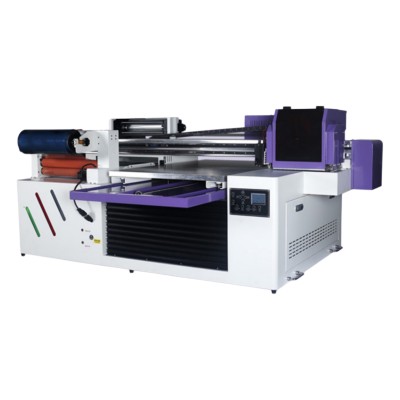 UV DTF printer ST-6090Plus, table 60×90 cm, roll 30 cm
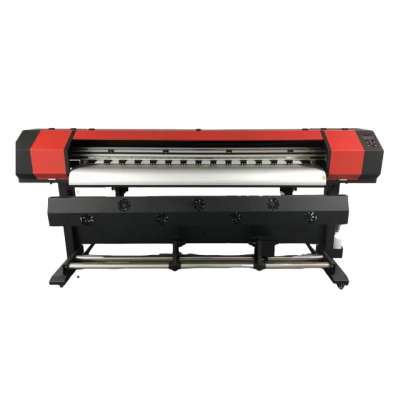 Eco-solvent printer 160 cm, 2×i3200
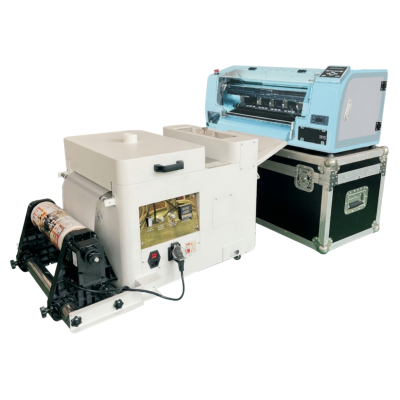 DTF line 30 cm mini, 2 heads
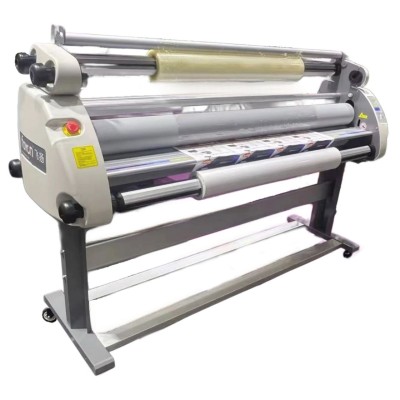 Roll laminator 160 cm 1600DA
