How to choose a DTG setup for direct printing on fabric?
The video explores DTG, or direct printing on fabric: it shows how the printer is built, T-shirt preparation and test prints. The print is also assessed after washing. Click a time to play the video from that point. The video is in Russian.
Questions and answers by the minute
0:55 Can you print designs in advance with direct T-shirt printing?
With direct printing, the design is printed straight onto the T-shirt. The video compares this with applying ready-made prints, which can be printed in advance and used later.
2:51 How are the DTG printer's printheads cooled?
The printheads, the units that apply ink, have a separate water cooling system. Fluid flows through the heads along a shared route, with a separate cooler keeping it circulating.
7:11 Why are the printer's ink filters left exposed?
On the machine shown, the filters are not hidden behind a panel. The connections are visible during filling and maintenance, so you can spot any ink leaks at these points.
13:13 Can you keep one white printhead as a spare?
The plan in the video is to install two heads for white ink. The presenter says it is possible to use one white head and keep the other as a spare, but warns that printing will be slower.
21:26 Does the white ink recirculation reservoir need separate priming?
In the design shown, the reservoir fills automatically and does not need separate priming. The presenter explains that ink enters from below, while air leaves through the upper outlet first, followed by ink.
23:21 Why does white ink disappear on a T-shirt during DTG printing?
For this test, the T-shirt was not treated with primer, a liquid that stops ink from sinking into the fabric. The white initially looked solid, then began to disappear. The video links this to the lack of pretreatment.
24:18 How is primer applied to a T-shirt before direct printing?
The video uses a dedicated machine for treating white and dark T-shirts. Dust is removed from the garment, the machine is closed and a button starts spraying the liquid.
26:32 Why does a DTG printer need a garment height sensor?
The height sensor detects anything sticking up and prevents the machine from starting. The gap above the garment is set in the software by adjusting the height of the carriage, the moving unit that holds the printheads.
27:34 Why did the DTG print feel thick?
The presenter applied a double white underbase, a layer of white ink beneath the image, across the whole design. They call this a mistake: the software lets you choose which areas receive the white layer.
28:04 How can you make a DTG print on a T-shirt feel softer?
The presenter shows a white layer setting with a gradient, a gradual change in density. They explain that dark areas could have been printed with partial coverage or left unprinted. This would have made the print softer.
31:14 Did the T-shirt print feel softer after washing?
The presenter feels that washing made the print softer and more flexible. The change was noticed in an area with a lot of white ink; this assessment applies to the sample shown.
31:44 Did the DTG print keep its colour after the wash shown in the video?
In the presenter's assessment, the print stayed bright after the wash shown. They describe the colour as unchanged from before washing; this conclusion applies to the sample in the video.
What do you need besides the printer itself?
Consider the full set of equipment when choosing a setup. In the video, the printer also required the purchase of a machine for applying primer, a liquid used to prepare fabric, and a drying cabinet. The primer machine treats garments automatically and offers different modes.
One question to discuss when choosing your equipment: which machines will handle fabric preparation and drying in your workshop? The video suggests considering these stages alongside the printer purchase.
What should you check when looking at the machine?
This is our checklist, based on the video. You can use it as a set of questions at an equipment demonstration.
- Materials for getting started. The kit shown includes a USB drive with software, firmware, the equipment's internal programs, and instructions. Check what will come with your machine.
- Connection labels. In the video, the ribbon cables, the flat cables connecting the printheads, are labelled. Ask to see the labels when looking over the machine.
- Ink monitoring. On the machine shown, the ink warning indicators are directly in front of the operator. Check whether they are visible from the working position.
What questions should you ask after a test print?
Discuss how to move the garment after printing: the presenter specifically points out the need to avoid touching the print. Handling the printed T-shirt is another part of the process worth seeing at a demonstration.
Printhead lifespan is a separate question. At the time of filming, the presenter does not yet know how long the heads will last. A buying decision needs information from use that this review does not yet provide.
Below are similar DTG printers from the catalogue: ADL04R01B, PRC-5060 and ST-400G. We cannot confirm an exact match with the machine in the video. See the product page for the specifications of your chosen model.
Equipment in the catalogue
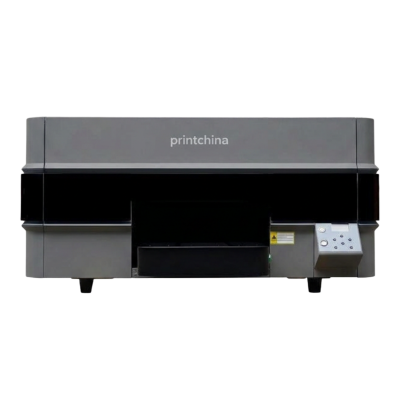 DTG printer ADL04R01B, 4 Brother printheads
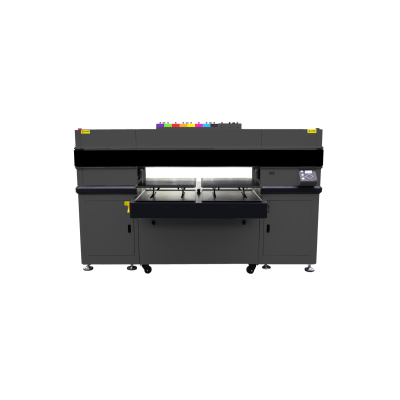 DTG printer PRC-5060, 4 KS1680 printheads
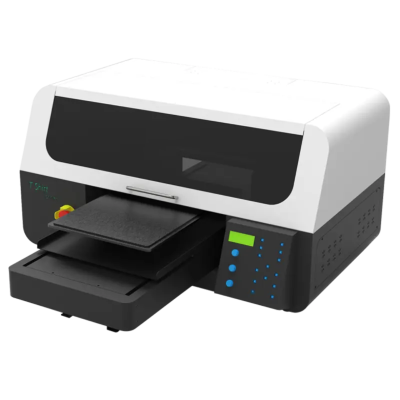 DTG printer ST-400G, 40×60 cm platen, 2 printheads
