A DTG printer after two months: is it worth buying?
In the video of 22 April 2026, the PrintChina team returns to a DTG setup – equipment for printing directly onto fabric. They review two months of use and show how a design is printed on a fabric bag. Click a time to play the video from that point. The video is in Russian.
Questions and answers by the minute
1:17 What makes daily maintenance easier on this DTG printer?
The printer shown starts cleaning and fluid circulation automatically. A light helps you inspect the underside of the carriage – the moving unit that holds the printheads. It is tucked under a plate and, according to the presenter, has stayed clean throughout use.
2:18 Can a DTG printer print on bags with zips and raised areas?
In the video, these bags are printed with an 8 mm gap. The presenter notes that fine details may show ink mist – droplets scattered around the design. The height sensor stops the table from moving if it detects an obstruction.
3:14 Have the DTG printheads become clogged after two months?
According to the presenter, no additional nozzles – the tiny openings that release ink – have stopped working in either the white or colour heads. Some nozzles were already not working at start-up. Some of those have since cleared, while the others remain blocked.
4:26 How is the DTG printer maintained when it is not printing?
On working days without printing, the machine shown runs a cleaning cycle in the morning and evening. It is left over the weekend without adding extra fluid. The presenter describes their own experience: after the weekend, they resume work with ink stirring and cleaning cycles.
5:54 Why does a DTG setup need a primer machine and a drying cabinet?
The machine sprays primer – a liquid used to prepare fabric before printing. The primer is then dried, the design is printed and the finished item is dried. In the video, separate cabinet compartments make the work more convenient: each stage has its own time and temperature settings.
7:46 Does drying a DTG print in a cabinet give a different result from a heat press?
The presenter compared a drying cabinet and a heat press – a device that presses a heated plate against the item – on their own batch of bags. The design looked brighter after drying in the cabinet. The presenter only suggests a possible reason and also warns that overheating can turn the fabric yellow.
8:46 Why will the DTG printer not start printing on the bag?
In the example shown, the sensor detected a raised area and the table stopped. The bag was moved and straightened. It had already been secured with masking tape and a frame to keep the fabric flatter and prevent the handles from lifting.
9:41 Can you adjust the amount of white ink in DTG printing?
The print preparation software lets you apply a white underbase beneath the entire design or leave it out where the item's white background is used. The amount of white can also vary gradually. The preview shows the effect of the setting.
11:34 Can you add a raised detail to a DTG design?
In the video, a separately printed raised nose is added to a picture of a dog. It uses UV-DTF for textiles – transferring a design from film onto fabric. The main image has already been cured in the drying cabinet before the detail is added.
13:46 What are the limitations of DTG compared with DTF?
DTG prints directly onto the item, so the print area must be suitable for this process. The presenter considers DTF – transferring a design printed beforehand – more flexible for baseball caps, backpacks and areas with seams. In their view, these orders are easier to make money from.
15:03 Will you be able to feel a DTG print on the fabric?
According to the presenter, the print can be almost impossible to feel if large areas of white are avoided where they are not needed. They also highlight shadows, smooth transitions and partial transparency as strengths of DTG. These are qualities of the print described in the video, rather than a promise for every design.
Where should you start when choosing a DTG setup?
Start with the items and designs you plan to sell. Put together questions based on your own orders before discussing a purchase. This is our list, inspired by the video.
- Where will the design go: on a flat part of the item or near a seam?
- Does the artwork need partially transparent areas and smooth transitions?
- How important is it that the print is barely noticeable to the touch?
- Are you prepared to position and straighten each item individually?
The last question affects the pace of work. The presenter notes that positioning, securing, printing and drying take longer than working with a DTF line. With direct printing, a mistake affects the item itself: you cannot simply throw away a spoiled design separately from the fabric.
What should you check when looking at the machine?
Ask to see access to the underside of the printing unit and how the height sensor works with your item. Also discuss spare caps – rubber units that seal the heads when parked. At the start of the video, the caps on the installed machine are compared with i3200 caps: their sizes differ. A similar appearance does not confirm compatibility.
Find out the installation requirements for the drying cabinet in advance. The video specifically warns that the electrical supply must be prepared. Leave the connection and choice of electrical protection to a specialist; do not copy the wiring shown in the video.
How should you assess the result before buying?
Look at the finished item as a whole: the design, the fabric surface and how easily it can be positioned on the table. Both a flat T-shirt and a bag with awkward areas are useful when discussing your needs with a supplier: in the video, these items require different levels of care when positioning them.
Also weigh your expected order volume against the manual stages of the work. The presenter's assessment of print quality does not remove the time needed to prepare each item.
Below are similar machines and supplies from the catalogue. The exact equipment model names are not given in the video, so a match with the models shown has not been confirmed.
Equipment in the catalogue
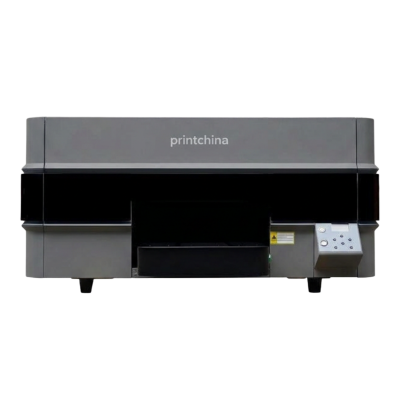 DTG printer ADL04R01B, 4 Brother printheads
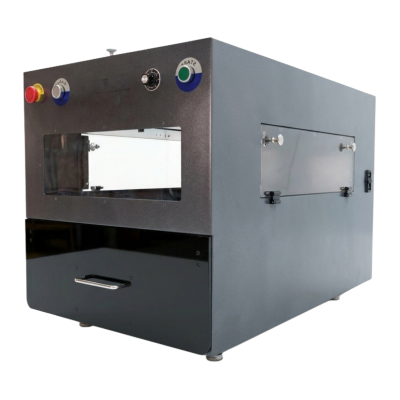 ADL04Q01 primer application machine
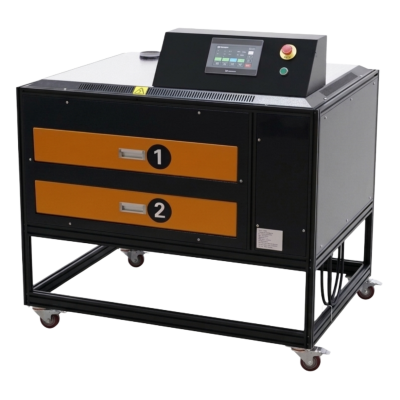 ED7090-2 drying oven
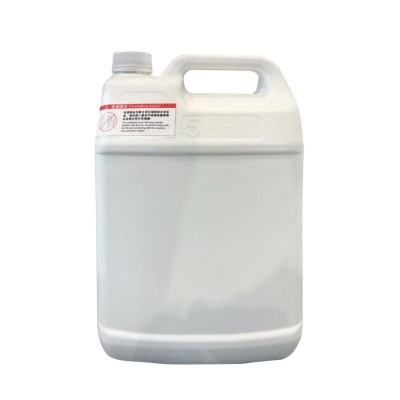 DTG primer, 5 L
