How does double-sided UV-DTF printing work?
The video of 4 April 2025 explains double-sided UV-DTF printing: making stickers with an image visible from both sides of the glass. It covers the printer's design and what it can offer a small photo studio. Click a time to play the video from that point. The video is in Russian.
Questions and answers by the minute
0:54 Why is the i3200-HD head turned in this UV-DTF printer?
The video describes a printer with a Hoson control board and an i3200-HD printhead, the part that applies ink. The head is ordered in a horizontal position: according to the presenter, this lets it work a little faster across all ink channels.
1:11 How do you make a UV-DTF sticker visible from both sides of the glass?
The video explains the printing order: colour first, then a white layer, then colour again. Once the sticker is transferred to glass or a glass bottle, the colour image is visible from both sides. The printhead must support this sequence.
1:40 Does a double-sided UV-DTF sticker have varnish on both sides?
No: in the arrangement described, only the front has varnish; the back has none. The video lists eight channels: four for CMYK – cyan, magenta, yellow and black – two for white and two for varnish. The white layer sits between the colour layers.
2:08 Is head alignment needed when printing with one i3200 head?
In the printer described, a single i3200 head prints all the layers. This means there is no need for alignment between multiple heads, the adjustment that makes their prints match up.
2:31 How many nozzles print white in this i3200 configuration?
The video mentions 3,200 nozzles, the small openings that release ink, with 400 in each of eight channels. Two channels are assigned to white ink, giving 800 nozzles according to the calculation in the video.
2:52 Would a UV-DTF printer with one head suit a photo studio?
The video suggests it for a small photo studio without large print volumes. The presenter notes the longer printing time and considers it suitable when the output of a machine with several heads is not needed.
Where do you start when choosing a printer for double-sided stickers?
Start with the job: does the customer need an image that people will view through the glass from the back? Prepare an example of such an order to discuss with the supplier. Also explain the photo studio's workload and how much the time needed to produce a batch matters to you.
Do not go by the head name in the offer alone. Ask to see a double-sided print made on the chosen machine and confirm that it supports the layer sequence described.
What should you check on a finished sample?
This is our checklist, based on the video.
- Look at the sticker on glass from the front and back. Judge the result after transfer, as the customer will see it.
- Examine the fine lines in your design. The presenter specifically discusses how they print; use this as a reason to request a sample with your own artwork.
- Check which side has varnish. Do not expect the same coating on both sides of the sticker.
- Ask to see how long your intended order takes to print. This will make it easier to judge whether the machine suits the photo studio's workload.
Which similar models can you compare in the catalogue?
The product page for the 30 cm UV-DTF printer with an i3200-HD lists one head and a Hoson board. For comparison, there is the TF230 with two i1600 heads and the IUV2060-3 with three i3200 heads. These are similar printers to consider; none is confirmed as the model in the video.
Compare print width, number of heads and the listed speed modes. Check double-sided printing support for each machine separately: a matching head name alone does not confirm that it can produce the result you need.
Equipment in the catalogue
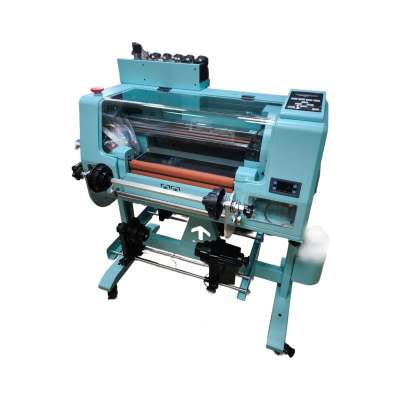 UV DTF printer 30 cm, i3200-HD
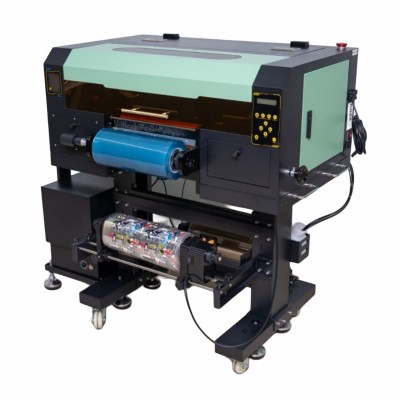 UV DTF printer 30 cm TF230, 2×i1600
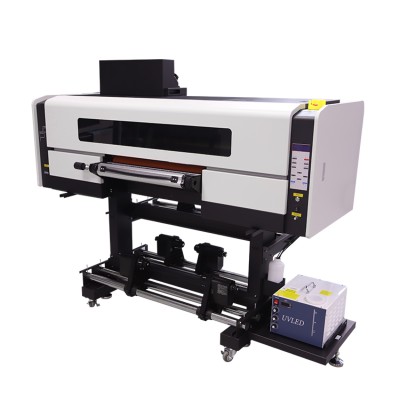 UV DTF printer 60 cm IUV2060-3, 3×i3200
