Hoson board: setting up the software tab by tab
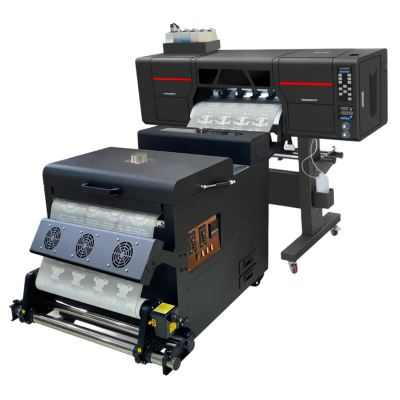
Hoson is a printer control board and HosonSoft is its software. The video covers user tabs on a DTF printer, which prints onto film for later transfer to fabric. Printhead alignment is the setting that makes all colours land on the same spot. Click a time to play the video from that point. The video is in Russian.
Questions and answers by the minute
0:26 Where to start in the Setting tab?
Start with Head Select, which selects a printhead configuration provided by the firmware, the software built into the board. Below it is the speed setting for the carriage, the moving assembly that holds the printheads.
1:46 Bidirectional or one-way printing?
Bi-direct prints as the carriage moves in both directions. For small items such as pens, the video recommends one-way printing and a lower speed.
3:04 Why turn on flash before printing?
Before a job, the head sprays ink over the caps, the units that seal the printheads while parked. The video explains that this is intended to prevent overspray, stray ink droplets outside the intended image, at the start of printing after idle time. The function needs correct setup in the engineering menu, a section intended for specialists.
4:19 What does the Y direction change?
The direction of the table or film, and with it the order of inks. On glass, for example, you can print colour first and white second, and the image shows through the smooth side.
7:58 What is the Color Bar for?
While one head prints, the others dry in the air. A strip at the side keeps all heads working; the video says always turn it on.
9:52 Normal or Custom: what changes?
These settings change how precisely ink droplets are placed and help make solid colour areas more even. The video says that combining Custom 100% with Strong makes printing two to three times slower.
11:11 What does Load Ink do?
It pulls ink through the selected head until you press stop. It is used for filling the machine with ink and for heavy clogs.
14:09 How do you check the head is straight?
In the Adjust test the strips must continue one another. If they do not, the head is turned with adjustment screws.
16:40 How is the feed step set?
Step Adjust sets the feed step, the distance the material advances between carriage passes. Print a test, find the number where strips match, enter it and press calculate. Repeat until the strips match at the zero position.
19:12 How are heads aligned vertically and horizontally?
Print the Headspace test and see where all strips match. Add or subtract the value below them so that the strips match at zero.
23:24 What are channel alignment and Bi-direct?
First align each channel, a separately adjustable part of the printhead, on the left and right, then align bidirectional printing. The video shows that fractional values can be entered. Note from the video: channels on the test start at zero, in the software at one.
27:54 Can you change head voltage?
Do not change printhead voltage without engineering knowledge. The video demonstrates this setting, but you should not repeat the adjustment yourself; contact a service technician.
In what order should it be set?
- Check that the software sees all heads.
- Align the head physically with the screws.
- Set the feed step.
- Align heads vertically and horizontally.
- Align channels and bidirectional printing.
Should bad nozzles be switched off?
The Nozzle Close tab switches off single nozzles, the holes the head prints with. If one or two are not firing, the video advises not to hurry: they may work again after cleaning and printing. If half of the head is not working, the presenter considers replacement easier.
What should you leave alone?
The video mentions drive waveforms, the electrical signals that control ink ejection, as a topic for the engineering menu. Contact the service team for advice on these settings.