ATools settings for a DTF printer with a Senyang board
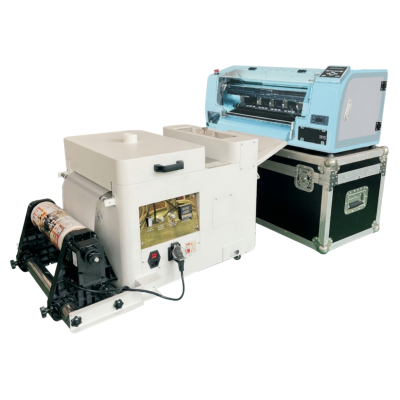
ATools is a program for setting up a printer with a Senyang control board. The video shows a DTF printer, which prints on film for transferring an image onto fabric. Printhead alignment adjusts the position of the white layer relative to the colour layer. Click a time to play the video from that point. The video is in Russian.
Questions and answers by the minute
0:00 Why does ATools not see the printer?
Run the program as administrator on the first launch: it changes the computer's network address. Without these permissions, it reports that the printer is not connected even if the cable is in place.
1:03 What are Dir, Soft, Speed, Head and Strip?
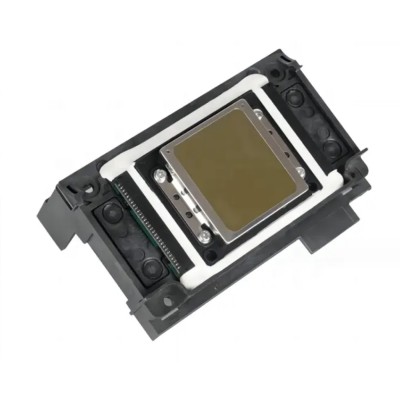
These control print direction, feathering, speed, printhead selection and the colour bar. The video recommends a high value for Soft, the feathering setting. The colour bar beside the image keeps both printheads active so that one does not dry out while the other prints.
2:34 What else is in Print Setup?
Print Setup, the print settings section, controls the order of white and colour and the printhead layout. If a question mark appears next to a setting, click it to save the change.
3:26 How is the film feed step set?
The feed step determines how far the rollers advance the film. To adjust it, print the test square, cut it out and measure the distance between the crosses. In the video, the required distance for this test is 20.3 mm. Enter the measured distance, calculate, save the setting and repeat the test.
5:37 Why does the step drift?
Changes in tension can affect it: do not turn the tension spring when changing the roll. Measure the test on a flat surface rather than holding it in the air; an incorrect feed step can cause banding.
6:28 How is bidirectional printing set?
Bidirectional printing means printing as the printhead moves in both directions. Print a CMYK test using cyan, magenta, yellow and black. The lines should coincide at the zero mark. The neighbouring marks show how much to add to or subtract from the current setting.
7:57 How is the white head aligned with colour horizontally?
Find the test position where white is shifted neither left nor right. Apply that correction to the current setting. In the video, the current value is 1 and alignment is better at minus 3, so minus 2 is entered, saved and tested again.
10:00 How are heads aligned vertically?
Print the Vertical alignment test: the white line should run along the colour line at the zero mark. In the video example, the current value is 73 and alignment is better at minus 4, so 69 is entered. Save the setting and repeat the test.
11:06 Why is there a gap at the edge?
The video explains that alignment values on the Senyang board can only be adjusted in whole units. That is why it advises shrinking the underbase, the white layer beneath the colour image, in the artwork.
12:11 What if colours are mixed up?
The advanced settings define the order of colour channels, which assigns individual ink colours to their positions. For repeated letters, enter the uppercase letter first, followed by the lowercase letter.
13:03 Can voltage and white be increased?
The video shows voltage settings and warns that choosing an incorrect voltage type can affect ink spraying and printhead cleaning. Do not repeat this adjustment yourself; contact a service technician. Increasing the number of white passes, meaning repeated applications of white ink, slows printing down.
14:19 How are settings saved?
Export the settings to a file with a clear name. The saved file can be used to restore the settings or transfer them to another computer.
What to check before setup?
- Check the nozzle test, which checks the openings that release ink from the printhead. In the video, clogged nozzles in the white printhead make layer alignment harder to assess.
- Make sure the printer is switched on and connected to the network: the video states that this is required for connecting it to the program.
Where to get ATools?
ATools usually comes on the flash drive supplied with the printer. If it is missing, ask your supplier for the program. The password for advanced settings depends on the manufacturer. Ask your supplier about access or contact the service team.