How are printers assembled and tested in China?
Factory workshops and test prints: in this video from 10 October 2025, PrintChina visits factories in China. We look at details of assembly and machine operation to check before buying. Click a time to play the video from that point. The video is in Russian.
Questions and answers by the minute
6:42 How does the factory make the printer casing?
Production starts with preparing the metal for the casing. A crane loads the metal onto a machine for laser processing.
10:22 What is the first step in assembling a printer?
First, the frame that forms the printer's base is levelled. Then a guide rail, which controls the direction of movement, is installed along with rollers and a shaft that feeds the film. The casing is added afterwards.
11:40 Which printer parts are assembled in advance?
The motors are prepared with gears and a belt, then bolted onto the printer. Next, the video shows a machine with its electrical components and lighting installed, waiting for the upper part of the casing.
12:16 How are printers tested at the factory?
The machines are checked on a test bench. The check shown includes a nozzle test: nozzles are the holes in the printhead through which ink comes out.
22:04 How is the print table checked for flatness?
The flatbed printer shown has adjustable rails. The table's flatness is checked with a dial indicator, a measuring instrument.
26:28 How does the shaker return adhesive powder?
The video shows a short but wide shaker, a unit with adhesive powder and a moving belt, built to a special order. It has a wider pipe for returning the powder to prevent blockages.
30:42 Why do roll holders arrive rusty?
The video links this to storing the tubes used as roll holders outdoors. Water gets onto them, causing rust.
39:27 What can happen when printing on a T-shirt without a height sensor?
The T-shirt lifted up, and one corner was smudged during printing. The machine shown has no height sensor, so the height has to be set manually.
43:09 What raised images are shown on the printer?
The video shows raised, textured logos. When printing starts, they are also described as raised stickers.
45:57 Which should you choose: a height sensor or two print tables?
The presenter prefers a machine with a height sensor to one with two tables and no sensors. This comparison concerns the printers shown: the preferred machine's table is described as "40 by 50", with no units given.
What should you look for on a factory visit?
Start by asking which parts the factory makes itself. The factory shown makes its own guide rails, the parts that control the direction of movement. After machining the metal, burrs, or rough edges, are removed.
Look at the assembly records too. The workshop has a list of completed tasks and records of who carried them out. When speaking to the supplier, you can ask to see these records for your chosen machine.
What should you ask to see before buying?
This is our checklist, based on the video. Use it to plan a demonstration of a particular printer.
- A print test and a table flatness check: ask what exactly is being checked and what the results were.
- A test on your own item: watch how the height is set and what happens to the material during printing.
- The powder return system on your chosen shaker: check whether it matches the one in the demonstration.
- The condition of the roll holders and how the machine is packed before shipping.
What should you ask about packaging and configuration?
The machines shown are shipped for export in plywood crates. An assembled printer is shown wrapped in film. Ask to see the packaging for your own order separately.
The selection below contains similar machines from the catalogue. We do not claim an exact match with the equipment in the video. For example, the product page for the ST-4050 flatbed printer, a machine with a flat table, lists a 40 × 50 cm table. Matching dimensions alone are not enough to identify it as the printer in the video or to say that it has a height sensor.
Equipment in the catalogue
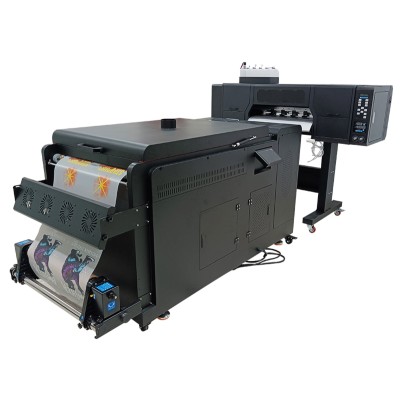 DTF line 60 cm ST-604, 4×i3200, automatic powder return
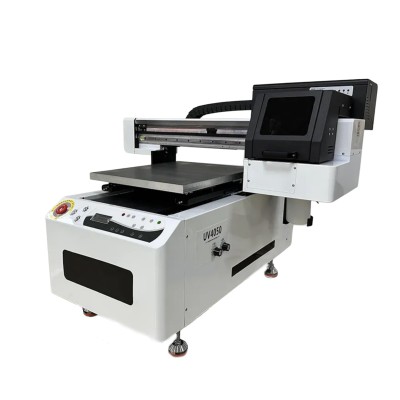 Flatbed UV printer ST-4050, table 40×50 cm, 2 heads
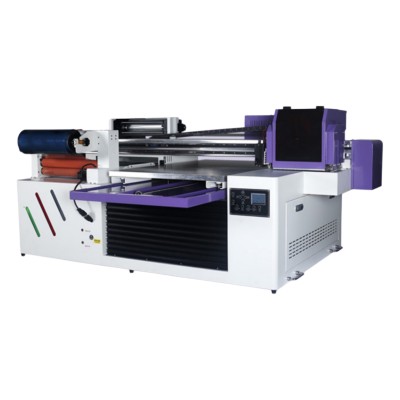 UV DTF printer ST-6090Plus, table 60×90 cm, roll 30 cm
