3-in-1 UV hybrid: what to check at first start-up?
The video dated 30 May 2026 shows the first start-up of a hybrid UV printer for ultraviolet printing. The whole setup process matters here, from checking the mechanisms to making test prints. This guide helps print shop owners understand what to discuss when starting up their own machine.
Questions and answers
Why protect a UV printer's tubes from light?
The video explains that light will reach the ink tubes if the cover is not fitted. The suggestion is to replace them with dark tubes to keep the ink from drying inside.
What should you check in the UV printer's table movement?
The table is checked for raising and lowering using both the buttons and the software, along with the limit switches, which detect the end positions. Heights are set. At this stage, checking the height sensor on the left and right is still planned.
How is the table checked for levelness before filling the ink?
The table is moved forwards and backwards while its surface is inspected. In this section the check is only visual: according to the presenter, the gaps look even.
How is film feed adjusted on a hybrid UV printer?
The laminator, the unit that passes film through a roller, now has separate adjustment knobs on the left and right instead of the previous handle. These change the position of each side and control the gap.
How is the rotary axis installed for bottle printing?
The rotary axis, a unit that turns the item during printing, has its own motor with an adjustable rotation step. A template on the table marks where it goes, making it easier to position.
How does the UV printer set the height before printing?
The table moves back, rises under the sensor and moves again to check for objects. It then lowers to suit what is on it, and printing begins.
How is colour reproduction set up on a UV printer?
A colour profile, a set of settings for reproducing colours, is built by printing an underbase, a layer beneath the image, and patches of solid colour. Ink limits are set. The sample for checking grey balance, whether greys appear without an unwanted colour tint, has already been printed and is about to be scanned.
How can white and colour be printed on a bottle at the same time?
The video shows tests on a black bottle with the rotary axis connected. The bottle is positioned under part of the colour printhead and part of the white printhead. The rotary axis is described here as an additional attachment.
What are the main printing modes on the 3-in-1 UV hybrid?
Roll printing and table printing are described as the main modes, and both have been set up by this point. This section shows roll printing, with table printing planned next.
What should the start-up checks include?
This is our checklist, based on the video. You can use it when talking to the engineer carrying out the setup.
- Computer connection. The software must recognise the printer, and the machine must receive commands correctly.
- Movement directions. The video pays particular attention to whether the buttons match the movement: a forward command should not send the table backwards.
- Cable condition. A slightly creased ribbon cable, a flat connecting cable, was found during start-up. No spare was included.
- Ink supply. During priming, the pumps and the seals where they connect to the hoses are checked.
The last point also relates to the layout of the components: on the machine shown, ink from a leaking connector could drip onto the wiring.
What should you look for in a test print?
In the video, a piece of metal is printed to check colour reproduction. When printing again on the back of the plate, the presenter notes dense white coverage and judges the varnish by the absence of banding.
These are observations from the stage of start-up shown. The comment about varnish is described as a "first impression", so it should not become a promise of the same result for every job.
What should you discuss before setup is complete?
Staff training is a separate point. After setup, the plan in the video is to explain how to use the machine, what to watch for and how to maintain it. Recording a detailed demonstration and sharing the files with staff is also discussed. These are still plans, rather than confirmation that training has taken place.
Similar machines from the catalogue are listed below for comparison. The product pages for the ST-6090Plus and the flatbed ST-6090 specify a 60 × 90 cm table, while the IUV-A3UV is A3 format. The video does not name the exact model.
Equipment in the catalogue
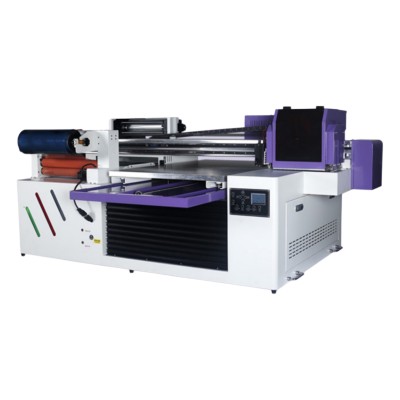 UV DTF printer ST-6090Plus, table 60×90 cm, roll 30 cm
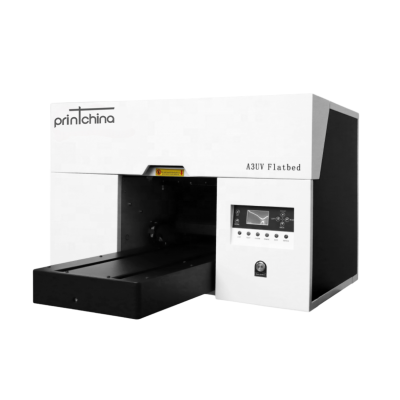 A3 UV printer (IUV-A3UV), i3200-HD, UV and UV DTF hybrid
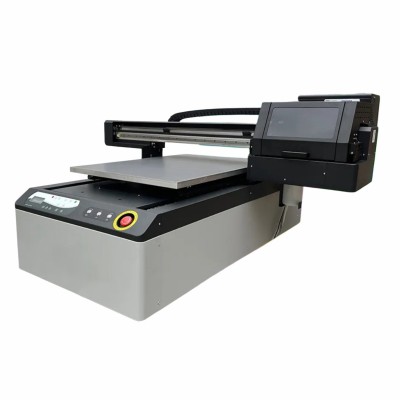 Flatbed UV printer ST-6090, table 60×90 cm, 3 heads
