Flushing a DTF printhead: the safe way, with the printer's own pump
The video dated 28 November 2025 shows a DTF line: equipment that prints onto film for subsequent transfer to fabric. On this printer with two i1600 heads, the white head hardly prints after standing idle; the engineer says it was already in poor condition. A PrintChina engineer flushes it without removing it from the printer: the built-in pump draws cleaning fluid through new dampers, small chambers that feed ink to the head. Click a time to play the video from that point. The video is in Russian.
Questions and answers by the minute
1:22 How can you tell that a head needs flushing?
By the nozzle test, a print that shows whether all the holes of the head work. It is printed right after a normal cleaning. In the video the colour head is fine after the downtime, while whole areas of the white channels are missing, so the engineer starts there. The engineer calls the method a light version: it is meant to be safe for the head, not to save it at any cost.
3:00 How do you prepare the printer so the cables do not short?
The carriage (the unit with the heads) is moved to the middle, the printer is fully disconnected from power and the head's ribbon cables, which are flat electrical cables, are covered with paper towels. The old dampers are removed carefully, held by the ribs only, because pressing the membrane, the flexible wall of the damper, squeezes out a drop. They are put into a bag. On a used printer the engineer advises replacing all dampers if you do not know whether the previous owner changed them.
5:06 How do you build a flushing line?
In the video, the engineer uses a new ink line, the tubing that carries fluid, and four new dampers. The end of the line goes into a bottle of cleaning fluid, and each damper is filled in turn with a syringe so that no air gets into the head. Around 18:22 the engineer adds that the set can be reused: it is rinsed and fitted to another printer.
7:54 How do you run the flush with the pump?
The filled dampers are fitted to the head, the line is led so that it does not catch on the moving carriage, the paper towels removed, the printer switched on and the carriage parked. In the software open Setting → Load Ink and find the white head's pump by ink colour, because pumps are sometimes swapped. From here the printer washes itself: the fluid goes through the head into the cap (the cover that seals the head when parked) and out to the drain.
10:13 Why the pump and not a syringe with a hose?
The pump draws fluid evenly, with the force the printer is designed for, and the cap and the pump get cleaned as well. Pushing by hand with a large syringe can break the seal of an XP600 head. According to the engineer this is practically impossible with i1600 and i3200, but with the pump the risk is minimal for any head.
11:48 Can dried white ink be washed out?
Once white pigment has set, ordinary cleaning fluid hardly affects it; the engineer says it is practically impossible to remove completely. If the ink has not dried yet, the head gets noticeably better. If the manifold, the ink distributor inside the head, is badly clogged, the effect will be short-lived.
13:46 How much fluid is needed, and what is interval cleaning?
In the video dated 28 November 2025, the engineer plans to pump through at least 200 ml of cleaning fluid. Fluid moves slowly through clogged nozzles; on this printer, the pump stops after one minute. The engineer pauses between runs. He also demonstrates short pumping cycles and compares the cap's action to a plunger. This causes splashing. Do not attempt this technique yourself; contact a service technician.
16:01 Who is this method for?
For those whose problem has just started, and for prevention. It will not make a head that stood with dried ink as good as new. The main danger of manual flushing is a drop on the cable, especially with XP600: according to the video, on some boards it means error 16 and a short circuit. Here the cables are covered and nothing is poured above them.
17:53 Which cleaning fluid should you use?
Only a professional one made for your ink type: DTF and UV (ultraviolet printing) fluids are different. The engineer asks not to use household products such as glass cleaner. Little fluid is needed, and the new line with dampers stays for the next flush.
19:05 How do you refit the original dampers?
In the video, the engineer disconnects the printer from power again, covers the ribbon cables with paper towels and removes the flushing dampers. Each original damper is primed separately to remove air and old ink, its outlet is wiped, and only then is it refitted to the head, keeping the tubes in their original order.
27:11 Why does the white head keep failing?
The engineer assumes the supply is to blame: the tube of the recirculation pump, which moves ink around a loop, was pinched flat and white ink did not flow through it. The ink line had once been cut short, was no longer long enough and kinked in several places. The engineer advises extending the line so that it lies freely and says they would replace the pump as well.
33:57 How far should the cap be during the maintenance spray?
From time to time the head sprays a little ink into the cap so the nozzles do not dry. If the cap is pressed against the head, ink mist bounces back and colours mix; if it is too far, mist spreads all over the printer. The video of 28 November 2025 leaves a gap of 1–2 mm.
What do you need for flushing?
- Professional cleaning fluid for your ink: for DTF or for UV-DTF.
- A new ink line and dampers. The video uses four new dampers for flushing.
- A syringe, napkins or paper towels, a bag for the removed dampers.
What is the order of work?
- Print a nozzle test and keep it for comparison.
- Disconnect the power, cover the cables with paper towels, remove the dampers.
- Fill the new line and dampers with cleaning fluid and fit them to the head.
- Lead the line clear of the carriage, remove the paper towels, switch on, park the carriage and pump through Load Ink with pauses.
- In the video, the engineer disconnects the printer from power again, covers the ribbon cables with paper towels, primes each original damper separately and only then refits it to the head.
- Run a cleaning, print a test and compare it with the first one.
What should you never do?
- Work on dampers and cables with the power on.
- Hold a damper by its membrane: ink may spill on the contacts.
- Push an XP600 head with a large syringe.
- Use household chemicals instead of cleaning fluid.
- Print right after pumping: run a normal cleaning first, the caps are full of ink.
What was the result in the video?
The white head recovered only in part: areas missing before appeared on the test and the print became brighter, but many nozzles were still out (36:54–40:21). The engineer says it openly: this head needs more cleanings or, better, a replacement. If it comes to that, see original i1600, i3200 and XP600 heads.
What else should be checked?
Several hidden defects came to light during the flush (21:50–32:18). The engineer assumes the white head suffered from the pinched pump tube:
- dampers from different batches, one of them loose on the head;
- a flattened pump tube and kinks in an ink line that was too short;
- a white ink recirculation reservoir that hardly filled.
At 39:33–39:48, the engineer explains that completely filling the reservoir requires removing air while raising the dampers and turning the reservoir so its tubes point upwards. This segment does not demonstrate the full procedure. Do not attempt it yourself based on this description; contact a service technician.
Does the method suit a UV printer?
The video shows a DTF line. The engineer says the method can also be used on other inkjet printers and stresses that each ink type requires a suitable professional cleaning fluid. Before servicing your printer, ask a service technician about the procedure for your machine.
Cleaning fluids and heads in the catalogue
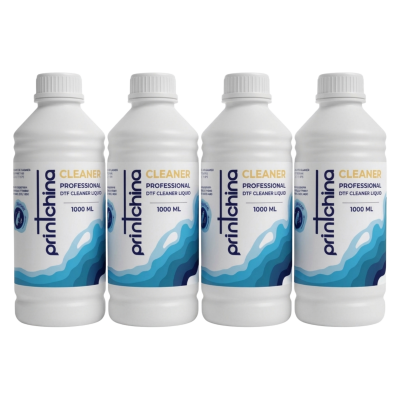 DTF printer cleaning fluid (DTF Cleaner)
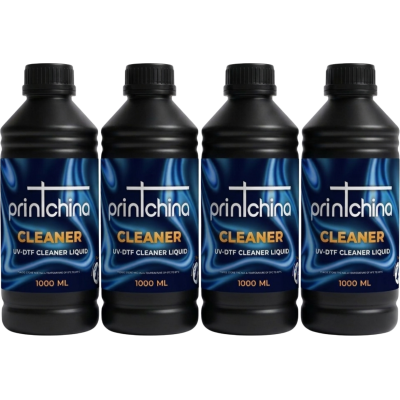 UV-DTF printer cleaning fluid (UV-DTF Cleaner)
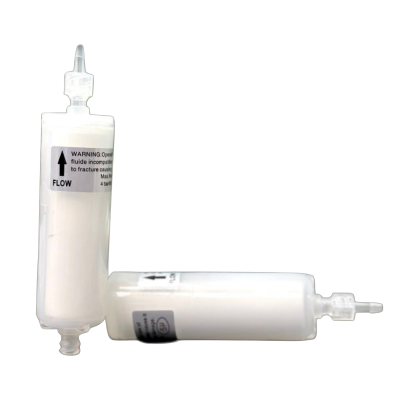 DTF ink filter, 5 micron
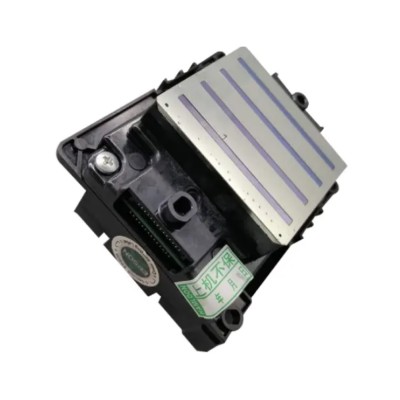 Epson i3200 printhead E1
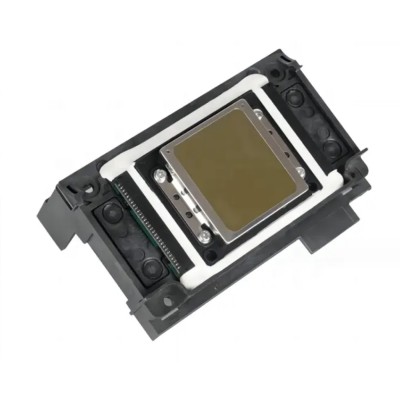 Epson XP600 printhead, genuine
