How do you start up a Santos DTF printer with XP600 heads?
The video dated 20 November 2024 shows the start-up of a Santos with XP600 printheads for DTF, or direct-to-film printing, from loading the roll to checking the print. It covers film feed, setting the parking position, where the printheads rest, and cleaning before the test. Click a time to play the video from that point. The video is in Russian.
Questions and answers by the minute
0:12 Which way round should you load the film roll in a DTF printer?
In the video the roll is loaded with the matt side facing up: the coated side is on top and the glossy side faces inwards. The pressure spring is on the right. After centring the roll, the engineer presses the collar against it and tightens the stop.
2:12 How do you adjust the roll holder spring?
The film should move freely without unwinding under its own weight. In the video the engineer checks this by leaving a little slack and giving it a gentle push. If the film moves easily and does not keep unwinding on its own, the tension is set.
3:14 Why does film drift sideways in a DTF printer?
The video links this to loading the film at an angle: it drifts further sideways as it feeds through. A ridge may then form and catch the carriage, the moving unit with the printheads. This contact can damage the heads.
4:15 How do you position the metal film edge guards?
In the video the plates are positioned so that half of each metal section overlaps the film. The film edge must not push against a plate and form a ridge. You can spot sideways movement by watching the film's position relative to the guards.
5:53 What vacuum setting is used on the Santos DTF?
The vacuum holds the film against the table. The video mentions a setting of 3 or 4 for this machine and leaves it at 3. Too much suction causes a bulge as the film feeds through, which the printhead may hit.
9:45 How do you check the head's position over the cap?
The cap is a cover that the head presses against when parked. In the video it is raised without touching the head so the engineer can see whether it is centred. The carriage's left-to-right position is set in the parking menu and saved with the OK button.
15:16 What should you check before starting ink priming?
First connect the drain tubes to the waste ink container. The video also recommends taping the drain tube to the container so it cannot jump out during priming.
16:24 Why is normal cleaning needed after manual priming?
After manual priming, ink remains in the caps and the heads have not yet been wiped by the wiper, the part that wipes them clean. The engineer therefore runs a normal cleaning cycle on both heads. During the cycle, they check how the wiper works.
18:18 How do you set the print start position and feed film on the Santos?
The print start position is set by positioning the carriage and confirming with the OK button. In the video Down feeds the film forwards and Up moves it backwards. The engineer then prints a test and uses its position to refine the print start position.
19:53 Why do lengthwise streaks appear in the nozzle test?
A nozzle test is a print that checks the nozzles, the openings through which ink comes out. In the video the colour head test is at the top and the white head test is below it. An incorrectly adjusted wiper is given as a possible cause of lengthwise streaks: it is not wiping part of the head.
How far does the start-up process go in the video?
This guide helps you understand how to prepare the printer itself. Once the nozzle test is good, the next step is the control software for head alignment and printing. The presenter leaves the software for the next video. This makes the episode useful to watch before setting up printing from a computer.
What should you check besides the menu settings?
Our checklist, based on the video.
- The roll's position under the rollers. It should be centred, not only halfway under the rollers or pushed against the edge. The video suggests using the screws on the sides as a guide.
- What the screws on the plates do. They secure the plates to the guides. They do not adjust how firmly the film is held down.
- Protecting cables from ink. When working with dampers, the small chambers that feed ink to the heads, the engineer covers the flat ribbon cables with tissues. The presenter warns that a drop can cause a short circuit.
The video also suggests adjusting the wiper with its screws while the machine is switched on. Do not repeat this; contact a service engineer.
How do you choose similar equipment?
The catalogue has no exact match for the Santos shown in the video. Similar equipment and supplies for DTF printing on film are listed below. The mini line has a print width of 30 cm, two printheads and XP600 / i1600 options. This is a separate catalogue model and should not be treated as the machine in the video.
When choosing, check the configuration listed on the product page. Several head options are listed for this line, so the mini name alone is not enough to select the XP600 version. The selection also includes white and colour DTF inks and film.
Equipment in the catalogue
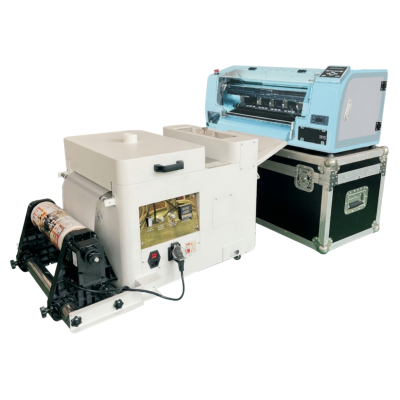 DTF line 30 cm mini, 2 heads
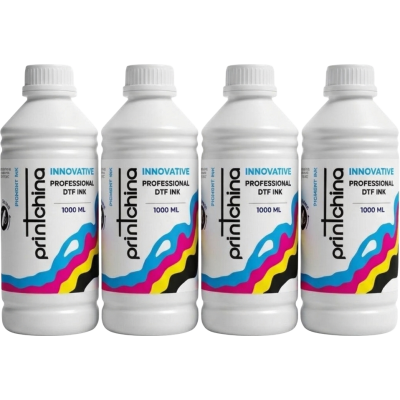 DTF ink white (White), 1 L
- DTF CMYK colour ink, 1 L
 DTF film 75 µm, 100 m roll
