What can a UV and UV-DTF hybrid do?
A UV and UV-DTF hybrid combines direct ultraviolet printing on objects with printing transfer stickers on film. The video of 14 November 2024 shows how to work with materials and the mistakes that affect the result. Click a time to play the video from that point. The video is in Russian.
Questions and answers by the minute
1:58 Why is vacuum needed for UV-DTF printing?
Vacuum holds the film down so that heat from the lamps does not make it lift. In the video, a white layer is printed first, followed by colour, then varnish over the design. The varnish adds a raised effect and shine.
3:38 How do you prepare UV-DTF artwork for gold details?
In the method shown, areas intended for gold receive no white or colour ink: only varnish is printed there. Other parts of the design can use a white underbase, a layer of white ink beneath the colour image, combined with the gold details.
5:46 Why might thin gold lines on a sticker fail?
The video warns that very thin gold lines may fail to stick or may peel away. For an entirely gold design, another example is shown: a dragon printed only in varnish, without a white underbase or colour.
6:43 Can you apply UV-DTF to a fabric cover?
In the video, a gold design is transferred onto a porous fabric cover. The design is smoothed down and the film peeled off slowly; if an area does not release, it is pressed down again and peeling is tried from another side. Thin lines receive particular attention.
9:30 Does the whole UV-DTF sticker need varnish?
No, the video compares two coating options. One design is covered entirely with varnish and looks glossy, while the other has varnish only over the gold: the black and white areas are left uncoated.
11:35 How do hybrids with 60 by 90 and 90 by 60 tables differ?
According to the video, the 60 by 90 version supports rolls up to 30 cm wide. The 90 by 60 version has its table turned around and supports rolls up to 60 cm wide. These dimensions refer to the machines discussed in the video.
13:05 How do you switch a hybrid from rolls to printing on objects?
In the video, the roll holders are removed and the firmware, the printer's internal program, is switched to flatbed mode. A box is then printed on. The machine shown is said to support a printing height of up to 25 cm.
14:05 Why is printing thin lines on cardboard difficult?
According to the presenter, ink and heat from the lamps warp cardboard, so thin lines need careful settings. The video suggests printing in one direction and limiting the amount of ink. Too much varnish can spread and leave blotches.
15:41 How much varnish was used on the box?
In the video, the varnish setting for the lid was 40%, which was considered too much. On the reverse side, it was set to 30%, and the result was judged better. Varnish highlighted selected details, while the logo and slogan were left uncoated.
17:58 Can you decorate festive baubles with UV-DTF stickers?
The video shows finished logos applied to festive baubles. Versions were made in white and in varnish only; the samples include both matt and glossy baubles.
18:31 What is a drawback of a UV and UV-DTF hybrid printer?
Changing modes requires removing the heavy roll holders by hand. The presenter notes that help may be needed. They see the advantages as saving space and maintaining one machine instead of two.
Who would a hybrid suit for branding?
Start with your mix of orders: do you need both stickers and designs printed directly on items? The additional review suggests a hybrid for a light workload and limited space, when you need stickers today and direct printing tomorrow. Before choosing, ask to see the mode change and consider how easy it would be in your workshop.
How do you choose between a sticker and direct printing?
Compare the same design on identical blanks. The video of 28 June 2024 (in Russian) shows how direct printing keeps the surface texture visible, while a sticker bridges a recess; it also suggests stickers for branding items at events.
This comparison helps you choose a method for a particular item. On a test sample, assess not only the colour but also the texture, shine and appearance of fine details after transfer.
What should you check before ordering equipment?
Our checklist, based on the video.
- Prepare your own artwork with small text and lines. Ask to see the finished item after every stage is complete, including sticker transfer.
- For boxes, compare samples with different amounts of varnish. Check the edges of the design and look for blotches, as well as the overall shine.
- Compare your item and roll sizes with the specifications of your chosen model. The figures in the review refer to the machine being filmed.
- Discuss training with your materials: the presenter specifically notes that printing on cardboard looks deceptively easy in the video.
Below are similar models from the catalogue for comparison. The ST-6090Plus lists an item height of 0–23 cm, and the IUV-A3UV hybrid lists 0–9 cm. The separate IUV2060-3 UV-DTF printer is included as an option for printing stickers: its product page does not claim flatbed printing capability.
Equipment in the catalogue
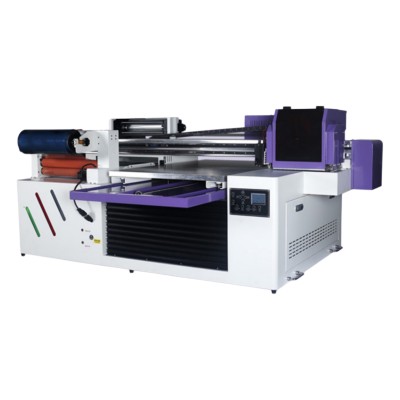 UV DTF printer ST-6090Plus, table 60×90 cm, roll 30 cm
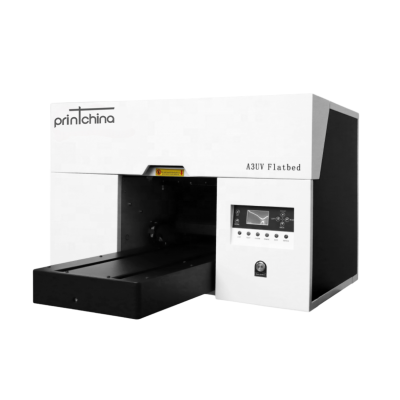 A3 UV printer (IUV-A3UV), i3200-HD, UV and UV DTF hybrid
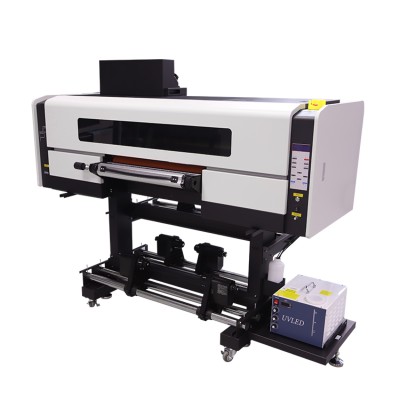 UV DTF printer 60 cm IUV2060-3, 3×i3200
