Preparing a DTF printer for shipping, moving or a break
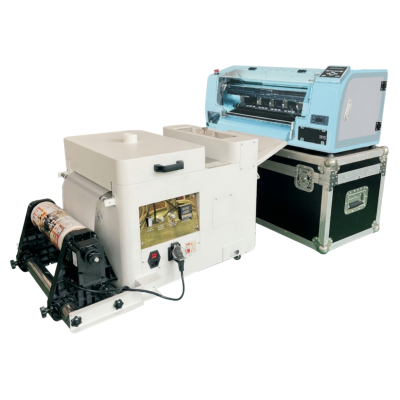
The video of 7 March 2025 shows a DTF printing line being prepared for shipping. DTF means printing onto film before transferring the image to fabric. Preparing a printer for a holiday is covered separately below. Click a time to play the video from that point. The video is in Russian.
Questions and answers by the minute
0:29 Where to start?
The ink tank lids are closed tightly. If the ink supply tubes have clamps, the tubes are clamped shut.
0:54 What should be done with the recirculation pump, which keeps ink moving around the ink circuit?
In the video, it is disconnected and its wire is taped to the pump itself. This is done to help prevent damage to the wires during transport.
1:21 How is the carriage, the moving assembly holding the printheads, moved aside?
The video explains that on this machine the caps, which seal against the printheads, can only be lowered by the motor. The carriage is then moved aside and the cover is removed. Do not repeat the disassembly yourself; contact a service technician.
1:47 How does the presenter protect the contacts before removing ink supply components?
Before removing the dampers, small reservoirs that feed ink to the printheads, the presenter covers the contacts and places a container underneath. He warns that a drop on the electrical ribbon cable, a flat connecting cable, could cause a short circuit. The video also specifically requires gloves when handling UV ink. Do not repeat the disassembly yourself; contact a service technician.
3:19 How is cleaner put into the printhead in the video?
The video shows a printhead being flushed with a syringe and adapter. The presenter warns that excessive pressure can damage the printhead seal. Do not repeat this procedure yourself; contact a service technician.
4:22 When does flushing stop?
In the video, the presenter stops flushing a channel when clear cleaner comes out, then briefly flushes each channel again. He explains that the cleaner has had time to thin the remaining ink. Do not repeat syringe flushing yourself; contact a service technician.
5:12 How are the printheads parked in the video?
In the video, the dampers are refitted without priming and cleaner is poured into the caps. The covers are refitted before power is switched on, with a check that no wires or ribbon cables are pinched. The printer is switched on to park the carriage, the cap contact is checked, and the machine is switched off. Do not repeat the disassembly and reassembly yourself; contact a service technician.
6:33 How is the carriage secured and the line taken apart?
In the video, the carriage is secured with a stop; the presenter suggests zip ties if no stop is fitted. The printer is taken off its legs and the roll holder is removed. The fan and finished film take-up unit are removed from the shaker, a separate unit that processes the printed film. Do not repeat the disassembly yourself; contact a service technician.
7:38 How is the equipment packed?
In the video, the corners are reinforced and the equipment is wrapped in film. Bubble wrap is then added and secured with another layer of film.
What if the printer just stands for two weeks?
The video of 28 June 2024 (in Russian) covers preparation for a couple of weeks away. The presenter advises leaving the ink in the printer shown. The video follows this sequence:
- The dampers are primed, a cleaning cycle is run, and a nozzle test is checked. This is a test print used to check the tiny openings in the printhead. Do not repeat the disassembly and priming yourself; contact a service technician.
- The carriage is moved left so that the printheads are not left over the heated table.
- The caps are filled to the top with DTF cleaner, and the wiper, the rubber blade that cleans the printhead, is wiped.
- On the machine shown, exiting the PrintExp control program parks the carriage automatically. The presenter explains that parking it first would cause it to park again on exit, leaving less fluid in the cap.
- The printer is switched off. The ink tanks and dampers are not left dry.
After the holiday, the presenter says, a couple of cleaning cycles are enough.
What should be at hand?
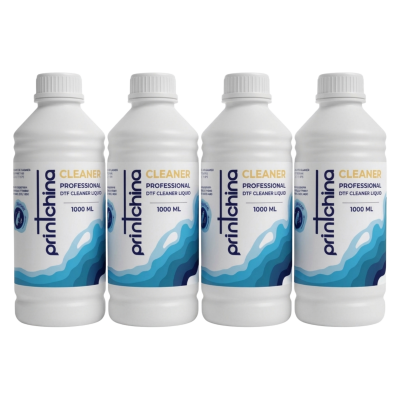
The video uses cleaner, a syringe with an adapter, wipes, gloves and a container for drained fluid. The catalogue lists cleaner for DTF printers and cleaner for UV-DTF printers as separate products.